Rivul AI
Multimodal AI Research Workspace
From Any Source to Research
A research workspace for students, engineers, academics and researchers. Bring papers, PDFs, scans and recordings. Draft papers, chat with your sources and run research agents, all in one place.
- Free for every account
- Bring your own key
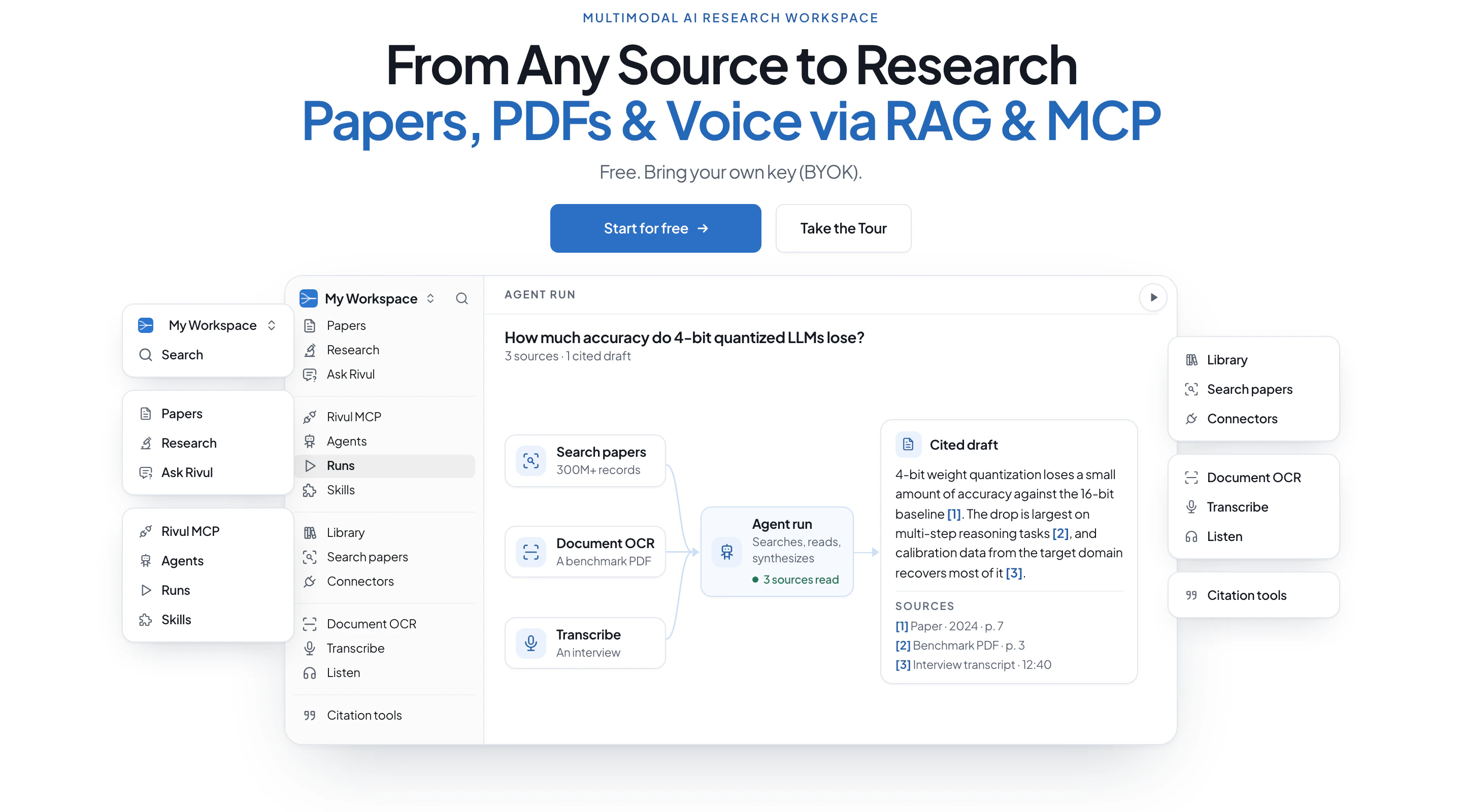
Everything in the Workspace
Search, Library, OCR, Transcribe, Listen, MCP and citation tools work without an AI key.
Write
Agents
Sources
Library
Private PDF library with a reader, highlights and notes.
Search papers
300M+ paper records, built on the open OpenAlex dataset (CC0).
Connectors
Bring files in from Google Drive, Google Docs and Zotero.
Convert
Document OCR
Scans, images and PDFs to plain text or Markdown.
Transcribe
Audio and video to timestamped text, as .txt, .srt, .vtt or .docx.
Listen
Any paper, draft or text read aloud, sentence by sentence.
Tools
Citation tools
IEEE, ACM, APA, MLA and Chicago, BibTeX, RIS and evidence tables.
See It In Action
Real screens from rivul.ai.

Agent Runs A finished run: the question, the eight sources it read, and a report citing each claim. Agents and Runs guide

Ask Rivul (RAG) Ask your library: pick papers, then ask a question or start from Summarize, Compare methods or Find open questions. Ask Rivul guide Chat with research papers

Skills The skills catalog by category, with Rivul skills such as Literature map, Research question framer and Gap finder. Skills guide

Rivul MCP MCP setup: sign in with Rivul or use an MCP key, pick your client, then copy the setup commands. What is MCP for AI research Rivul MCP tools

Library Saved papers with authors, year and status. PDFs show text ready once extracted. Library guide

Search Papers Results for speculative decoding from the Rivul Index, with open-access labels and cited-by counts. Built on the open OpenAlex dataset (CC0). Search papers guide

Connectors The AI provider tab: connect Google Gemini, OpenAI, Anthropic, xAI (Grok), Mistral or Meta (Muse) with your own key. Connectors guide Zotero workflow

Document OCR Three files in the OCR queue. The first PDF is being read, with Text and Markdown output tabs. Document OCR guide

Transcribe An audio file uploading, with Accurate and Fast modes, in-browser recording, and timestamped or plain text output. Transcribe guide

Listen A draft read aloud, with playback controls and a choice of browser voice or Rivul voice. Listen guide
Works With Your Tools
Use it from
claude mcp add --scope user --transport http rivul-atlas https://rivul.ai/mcpRemote MCP endpoint https://rivul.ai/mcp, with OAuth sign-in or a revocable workspace key. Command from the Claude Code guide. Prefer HTTP? See the REST API reference.
Bring your key from
How BYOK works in Rivul AIConnect your files
How connectors work in Rivul AIProduct names and logos belong to their owners and are shown only to indicate compatibility.
Built With
- Next.jsWeb app framework
- VercelHosting and delivery
- PostgreSQLDocuments and extracted text
- pgvectorVector search in Postgres
- Hybrid RAGYour library: keyword + vector, RRF
- OpenAlexOpen dataset (CC0) used to build the Rivul Index
- bge-small-en-v1.5Open embeddings on Rivul servers
- TesseractOpen-source OCR engine
- WhisperSpeech-to-text on Rivul servers
- Model Context ProtocolRemote MCP server
- OAuth 2.1Browser sign-in for AI clients
- OpenAPIDocumented REST API
- BYOK: 6 providersGemini, OpenAI, Claude, Grok, Mistral, Muse
OCR, transcription and embeddings run on open models on Rivul's own servers. Only AI features call your provider, with your key. What leaves your account.
Learn More
Start Researching From Any Source
Everything is free for every account. Bring your own AI key.